Make sure your crew builds with the right numbers.

Capture, calculate and share one set of numbers for the entire crew to use.

Most numbers on a job end up penciled on a stud, buried in a text, or stuck in someone's head.

TapeLine saves every calculation as a line on a tape. Each line can have a number, a name, a photo, or all three. Share the tape with your crew, and talk through any line in a chat thread attached to it.

Try TapeLine for free Private beta. Members get TapeLine Pro free for life.
An iPhone with TapeLine's keypad at full height on the Kitchen window tape: the next line is being entered, named RO width, with 36 1/2 inches in large digits, the cursor blinking, and the check key ready to save it.

Hover over the keys to see what they do.Tap the keys to see what they do.

screen-01-hero-tape

How it works

Field numbers on a shared tape your whole crew can see.

Plans show the ideal world, but crews build in the real one. Walls aren't plumb, numbers go missing, and plans change. Every number commits time and money, so the whole crew needs the right numbers to build to.

See the number, and see what it measures.

Take a photo of the opening and mark both ends. The number you measured is drawn between them and saved as a line, so the whole crew can see exactly where you pulled your tape. Haven't measured it yet? Name the line, leave the number blank, and assign Alan to measure it.
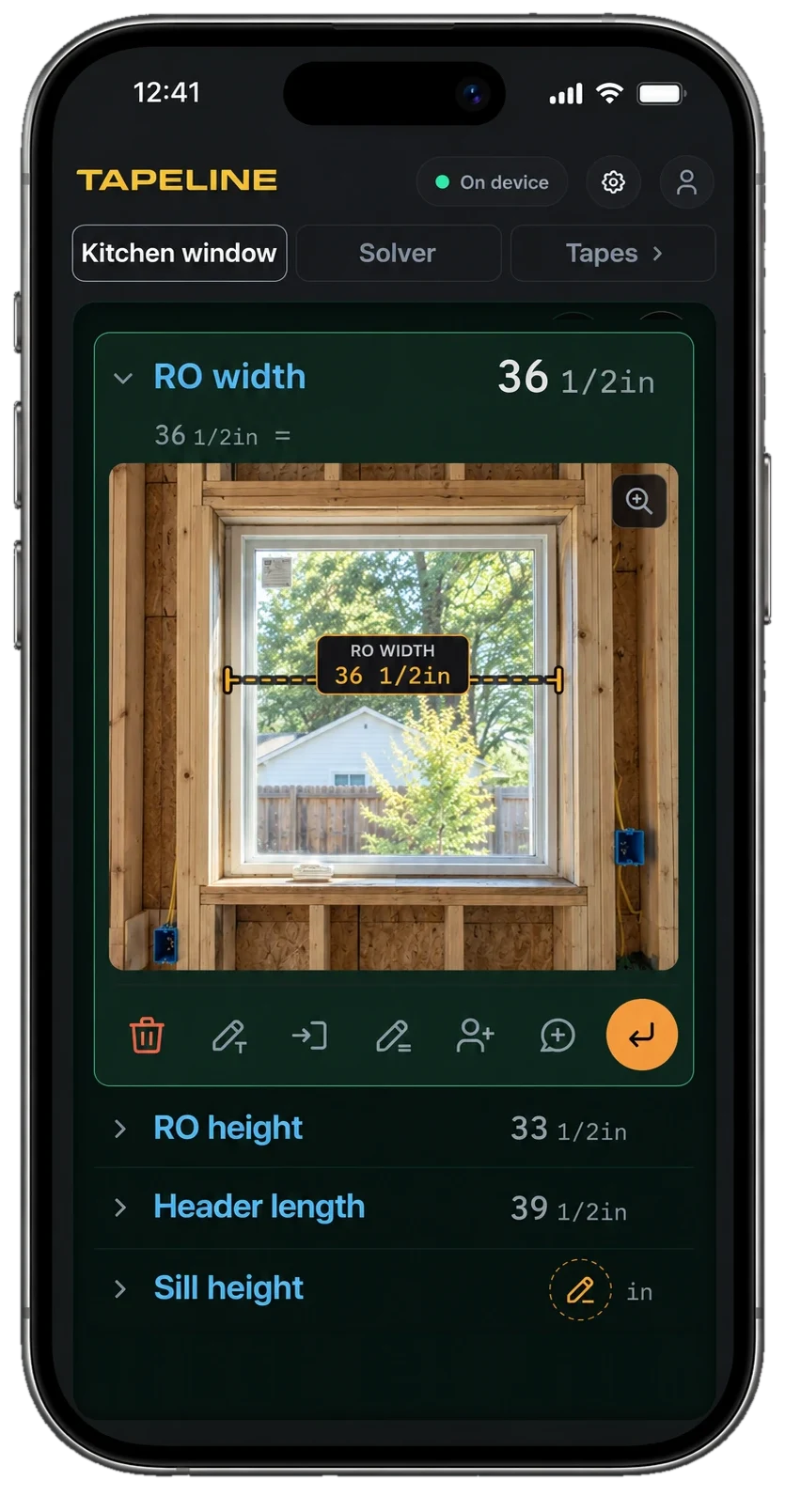
An iPhone showing the Kitchen window tape with the RO width line open: 36 1/2 inches, and a photo of the framed rough opening with the dimension drawn between the jambs, above RO height, Header length and Sill height.
screen-02-capture-photo-dims

Solve for the numbers you can't measure.

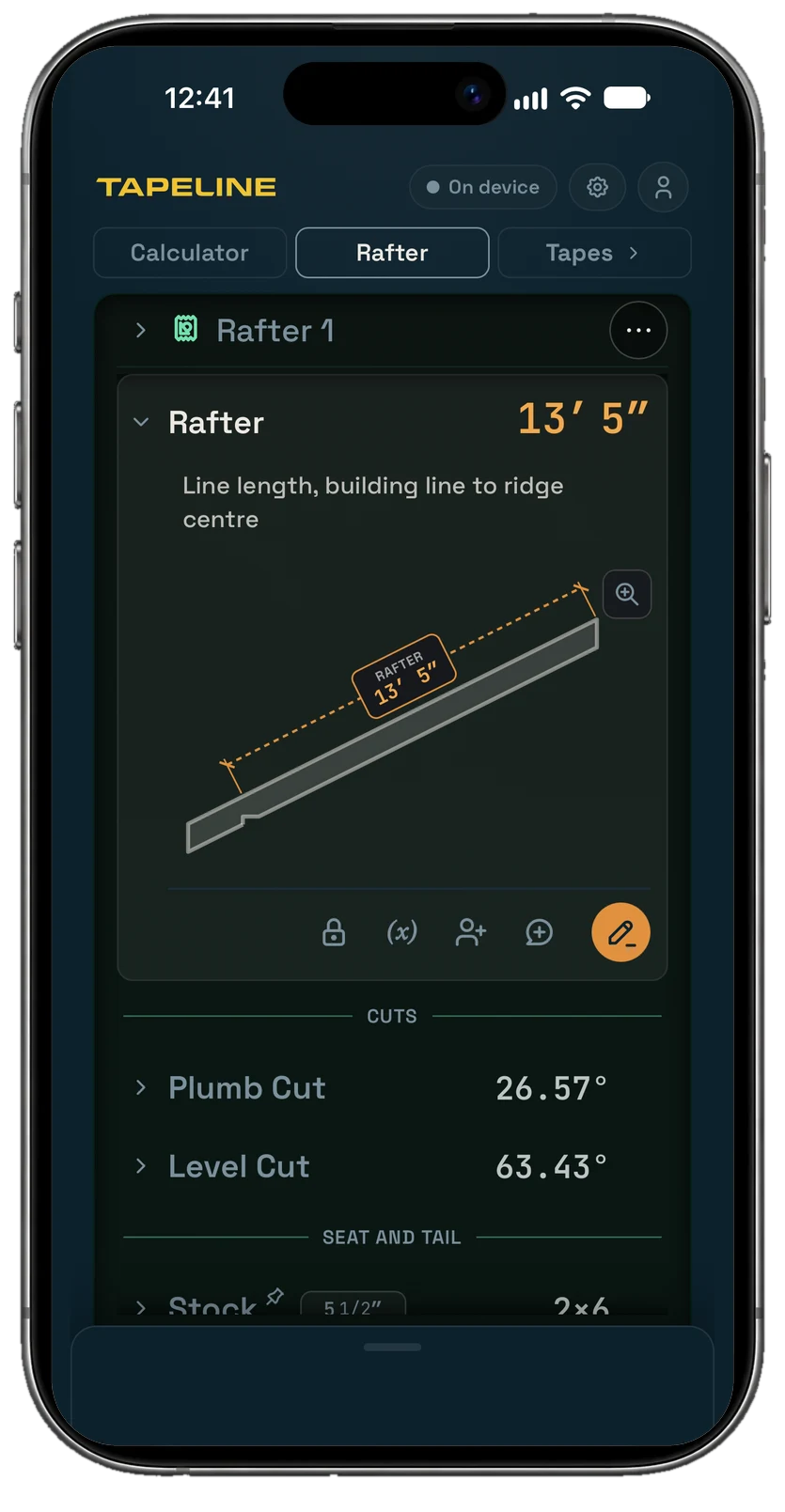
Enter a pitch and a run, and the rafter solver draws the rafter as you go, with its dimensions on it. The answers land on the tape with inputs and drawings, so anyone who opens it sees the results and what they were based on.

An iPhone showing the Rafter solver at a 6 in 12 pitch over 12 feet of run: the Rafter row is open on a drawing of the rafter with its 13 foot 5 inch length dimensioned on the piece, above the plumb and level cut angles.
screen-03-solver-cut
FramingSiteGeometryMaterials

Share it like a doc. Talk it through like a group chat.

Invite the crew by email or text the client a link. Post notes, photos and voice memos on any line. Choose who can see numbers, add them, or change them. See every change to a named number and who made it. Assign someone to take a measurement, verify a line, approve it, or get it done.

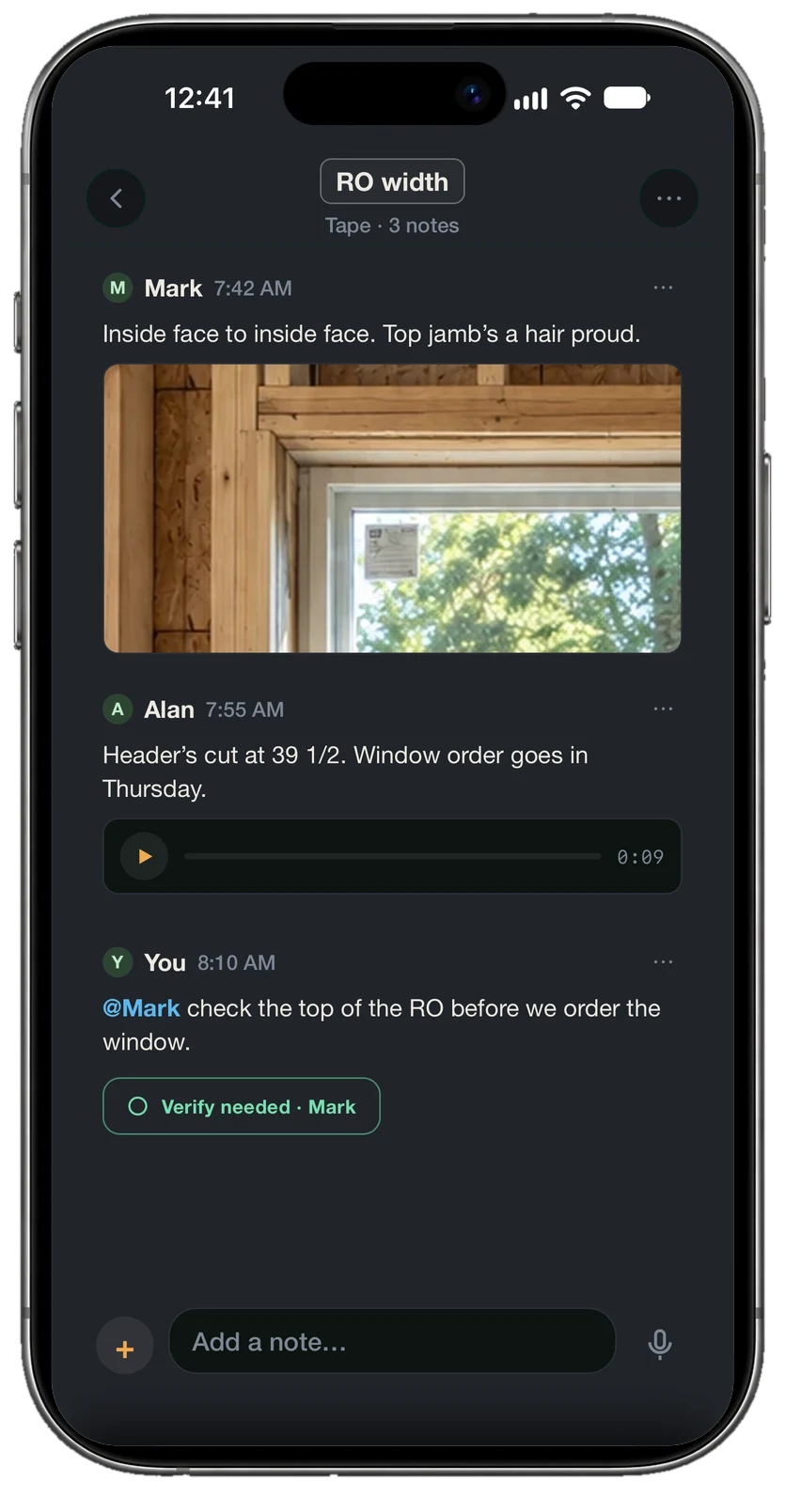
An iPhone showing the RO width line's thread: Mark's note with a photo of the top jamb, Alan's note with a voice memo, and a note asking Mark to check the top of the opening, with a Verify ask assigned to Mark.
screen-04-share-thread
To doVerifyApprovePhotosVoice memos

On the job

Capture it now. Sort it out later.

TapeLine is built around the phone already in your pocket. Photograph the layout marks on a stud and dimension them when you get to it. Name a photo and leave the number for whoever measures it. Say the numbers instead of typing them. Use it as a plain calculator one day and the crew's to-do list the next. Send Nelson the opening with its dimensions on it and save him the trip.

Every tape is filed under a project and synced to your account, so the number you took Monday is on your phone when you need it Thursday. Lose signal in the basement and keep going; the tape catches up when you're back on the network.

Who it's for

For the person responsible for what gets built.

The lead framer, the grader, the general contractor: whoever has to answer for the number when the piece doesn't fit, and counts on a crew to make sure it does.

Build with the right numbers.

Try TapeLine for free